Case study · EXE course project, FPT University

ToanHocHay — Online Math Learning Platform for Grade 6

Step-by-step AI tutoring, visual progress tracking, and a parent/teacher dashboard for Grade 6 math, built along all three official Vietnamese textbook series.

ASP.NET Core 9 PostgreSQL 16 Google Gemini Docker + Azure Team of 6

The problem it solves

Talking to Grade 6 students, parents, and teachers surfaced the same three obstacles — ToanHocHay was built to address each one directly.

Trouble absorbing the material

Students get stuck on a specific problem type with no one to re-explain at the right moment — so an AI tutor gives level-based hints inline, during the exercise.

No visibility into progress

Parents and teachers asked for a way to see strengths and weaknesses clearly — so a dashboard tracks progress by chapter, weak topics, and results over time.

Lack of focus & motivation

Boredom leads to disengagement — so the platform gamifies practice with streaks, an activity heatmap, and tab-switch alerts during timed tests.

Feature walkthrough

Eleven core flows, each with a real screenshot from the running app.
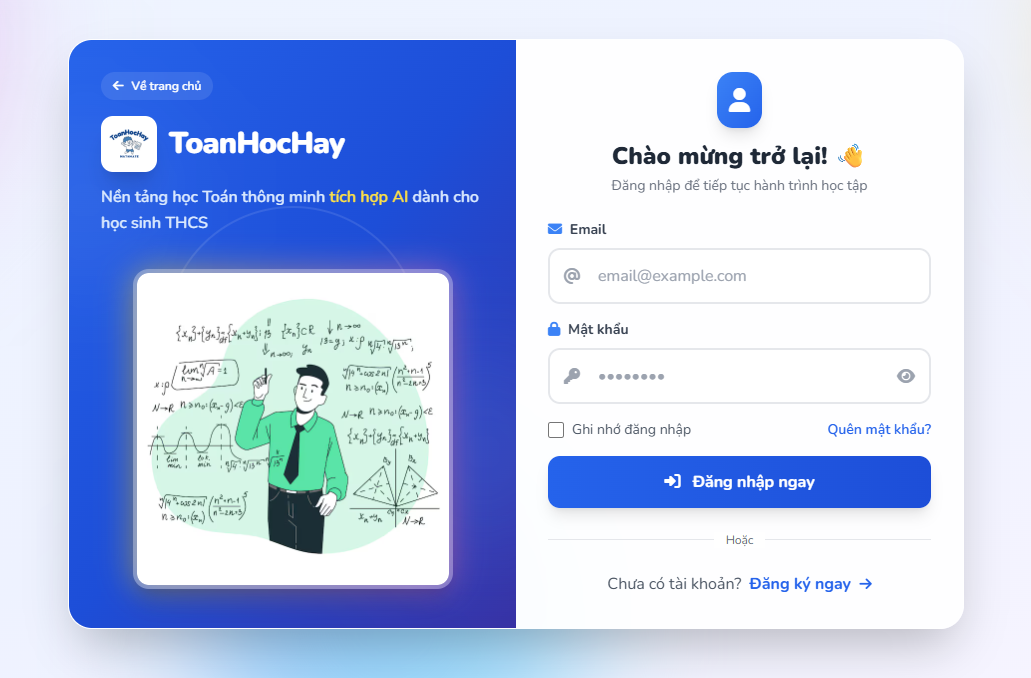
Sign-in and sign-up screen of ToanHocHay
01

Authentication & accounts

Register → confirm email → sign in with a short-lived JWT access token and a rotating refresh token with reuse detection, plus forgot/reset password. Repeated failed logins trigger a temporary account lockout.
JWTRefresh tokensSendGrid email
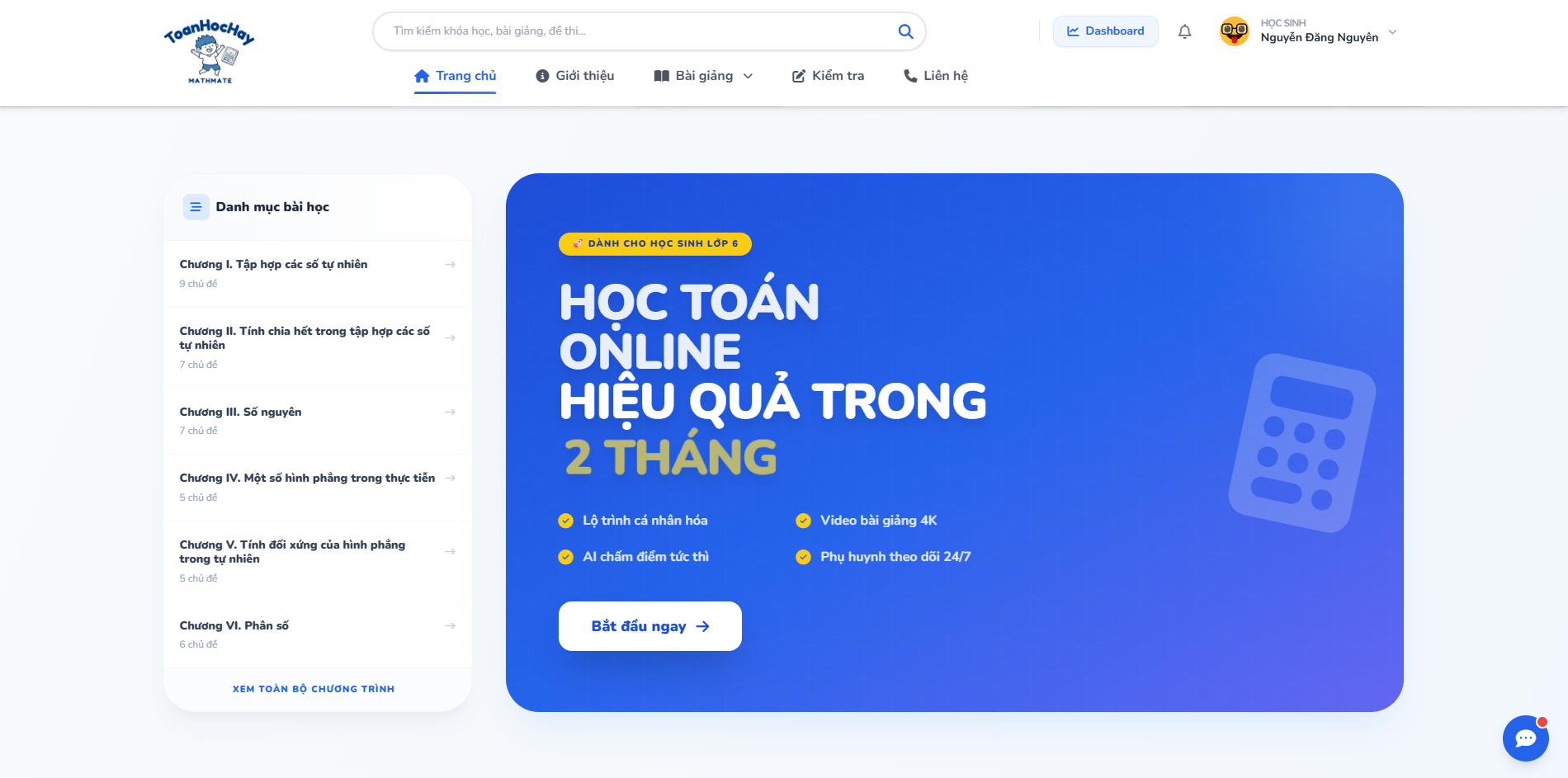
ToanHocHay course catalog home page
02

Course catalog & enrollment

Guests can browse the catalog and the list of free exercises without an account. Once enrolled, content is gated by three tiers — Free / Standard / Premium — enforced on the API, not just hidden in the UI.
AllowAnonymous browsingTiered entitlement
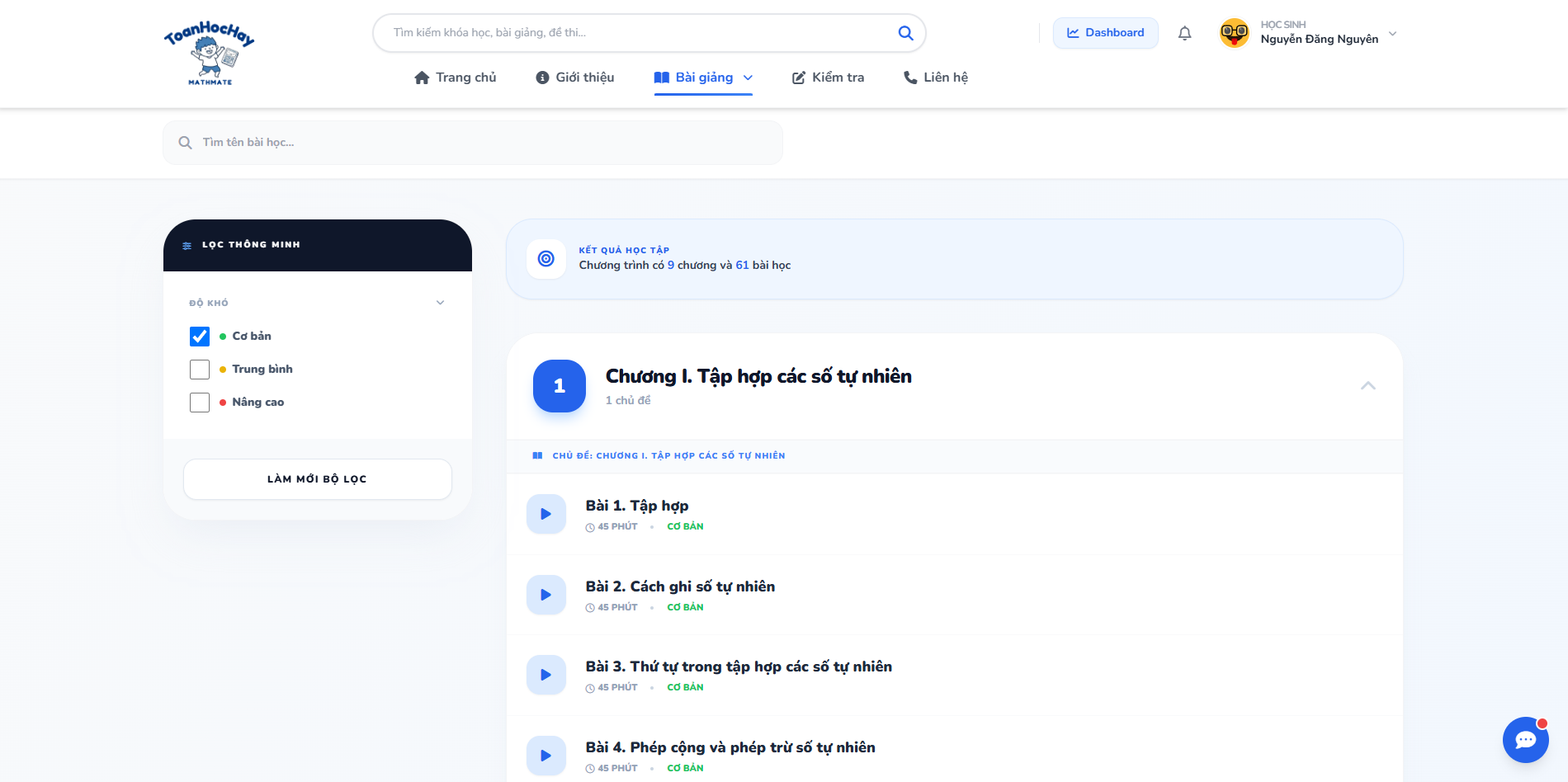
Lesson list with difficulty filters
03

Studying lessons

A course is a chapter → topic → lesson tree, built from several content-block types. Students filter by difficulty and see how much of the program — 9 chapters, 61 lessons in this example — they've completed.
Content treeProgress rollup
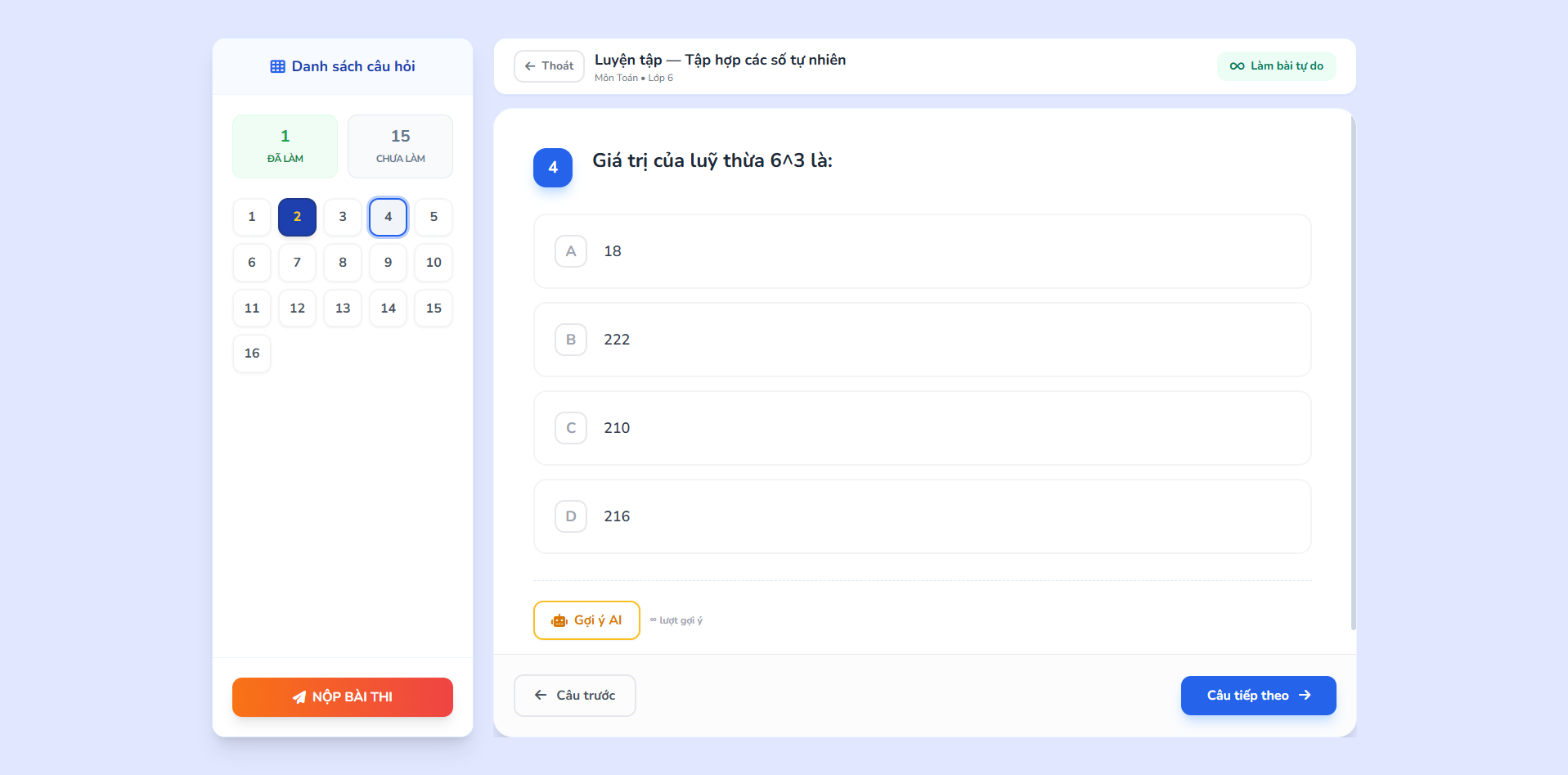
Student taking a multiple-choice exercise attempt
04

Exercises & tests

Pick an exercise, and every answer autosaves as the student navigates the question grid — so they can leave and resume later. Practice mode runs untimed; tests run a clock, and tab-switching is logged to deter cheating.
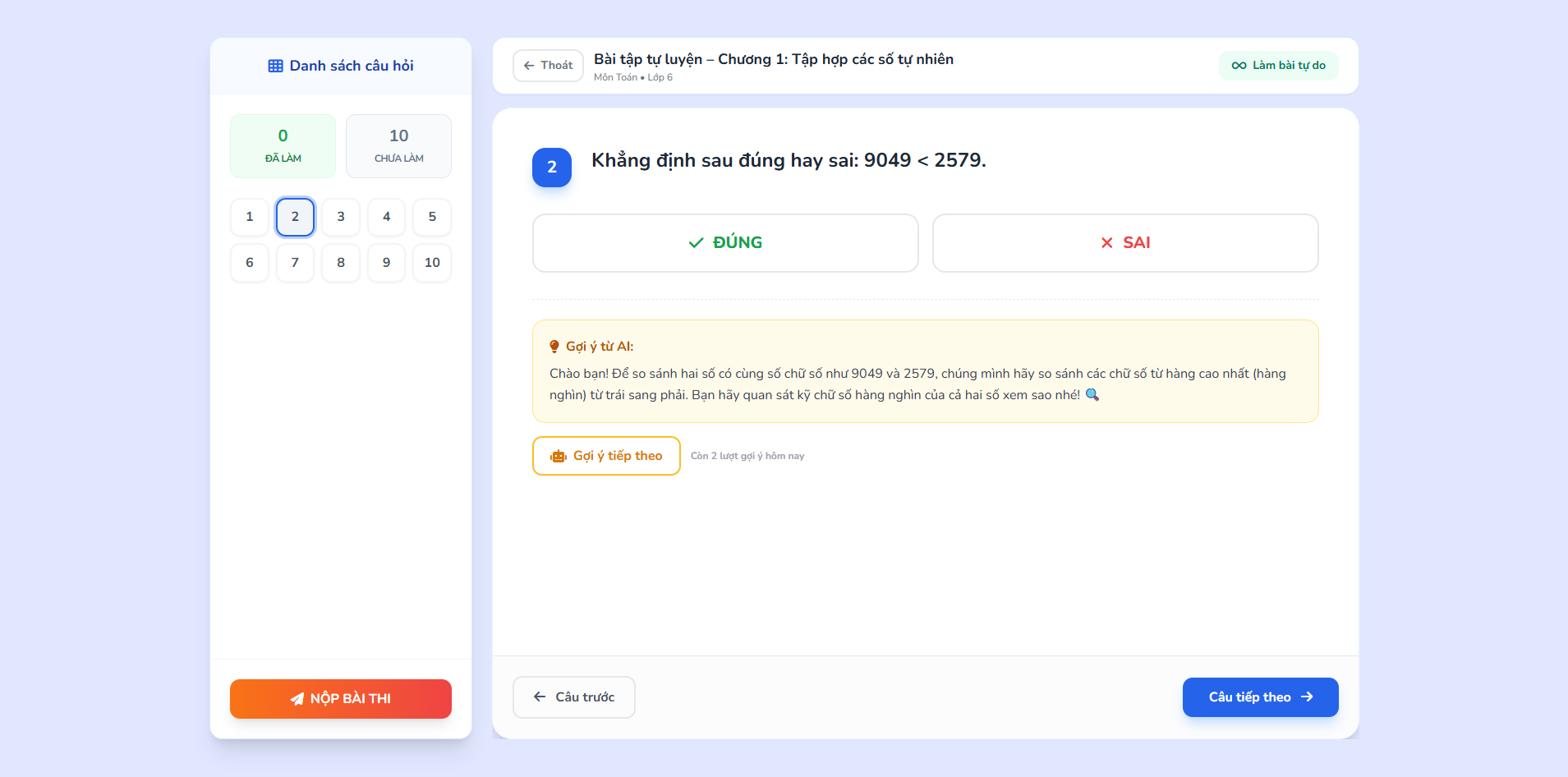
AutosaveAuto-gradingTab-switch tracking
AI-generated hint shown under an exercise question
05

AI hints & feedback

A Gemini-powered tutor nudges the student toward the concept — comparing digits place by place here — without revealing the answer outright. Hints are quota-limited per package, and a background queue produces a full mistake analysis after submission.
Google GeminiQuota-limitedBackground queue
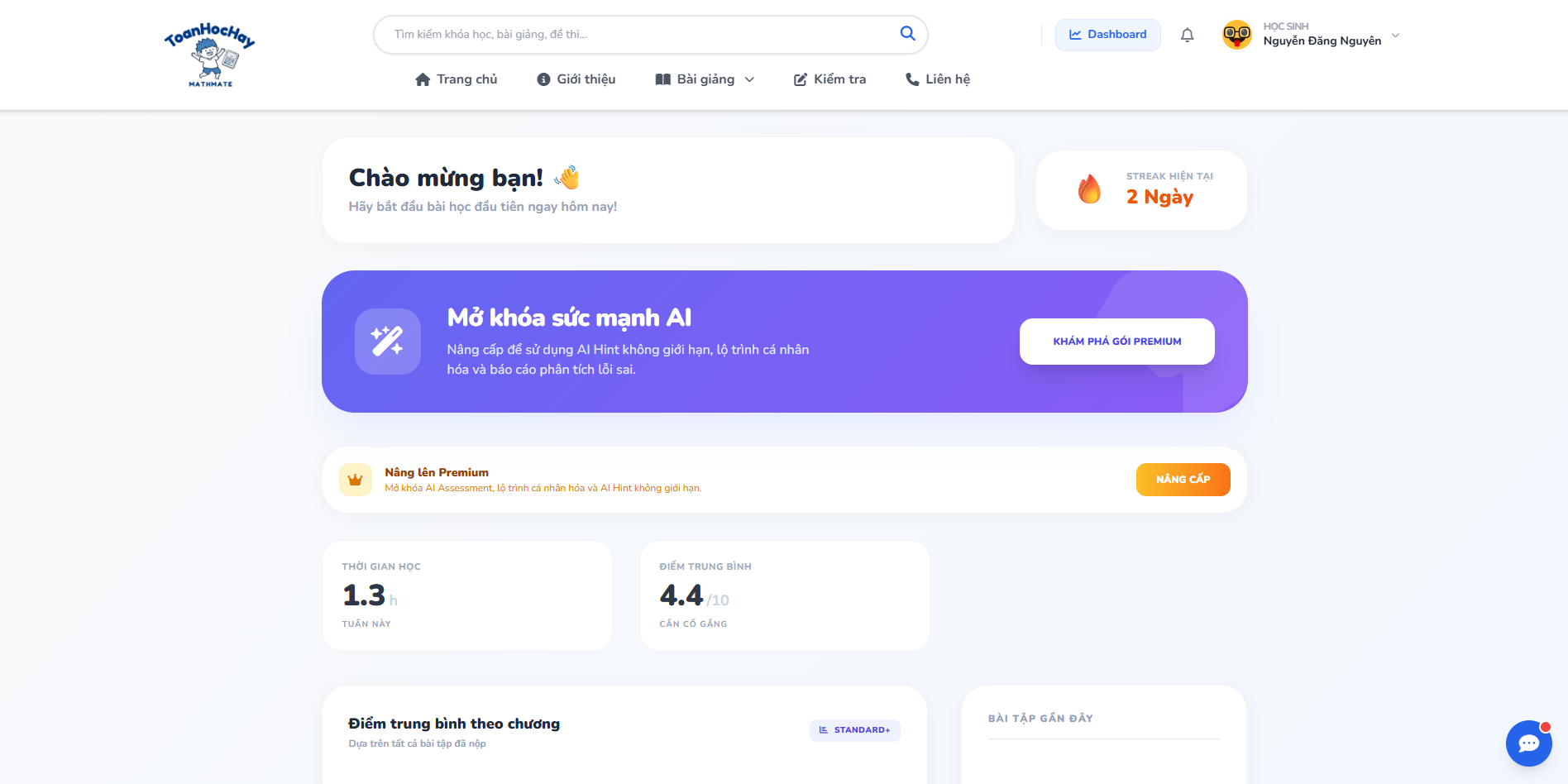
Student dashboard with streak, scores, and chapter progress
06

Student dashboard

One place to see the current study streak, weekly study time, average score, and progress broken down chapter by chapter — plus a shortcut back into recently studied lessons and a nudge toward Premium features.
StreaksPer-chapter progress
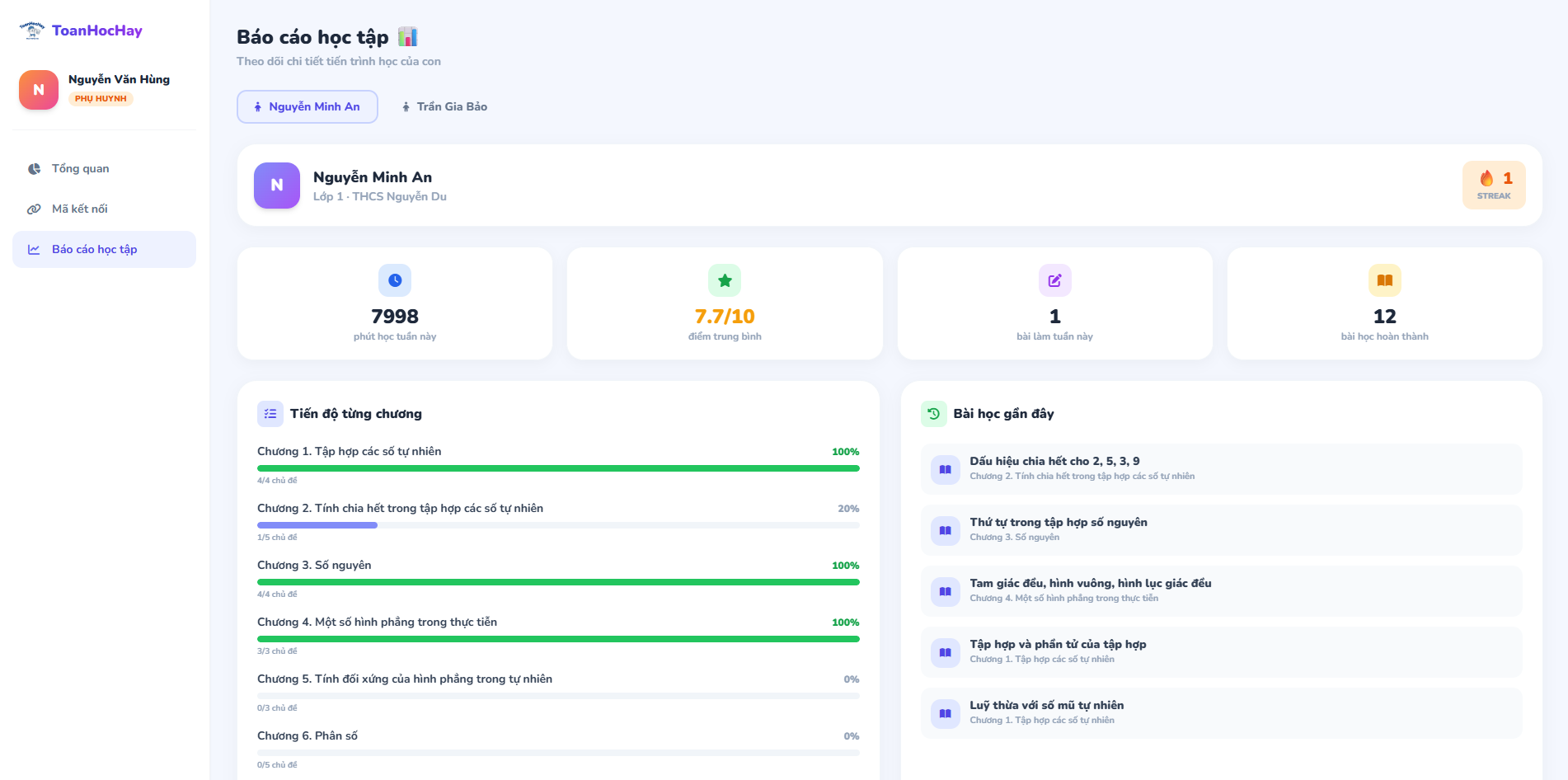
Parent monitoring report for a linked child
07

Parent linking & monitoring

Parents connect to a child via a link code, switch between multiple linked children, and see weekly study minutes, average score, and per-chapter progress — with rule-based notifications for tab-switching, low scores, or inactivity.
Link codesMulti-child overview
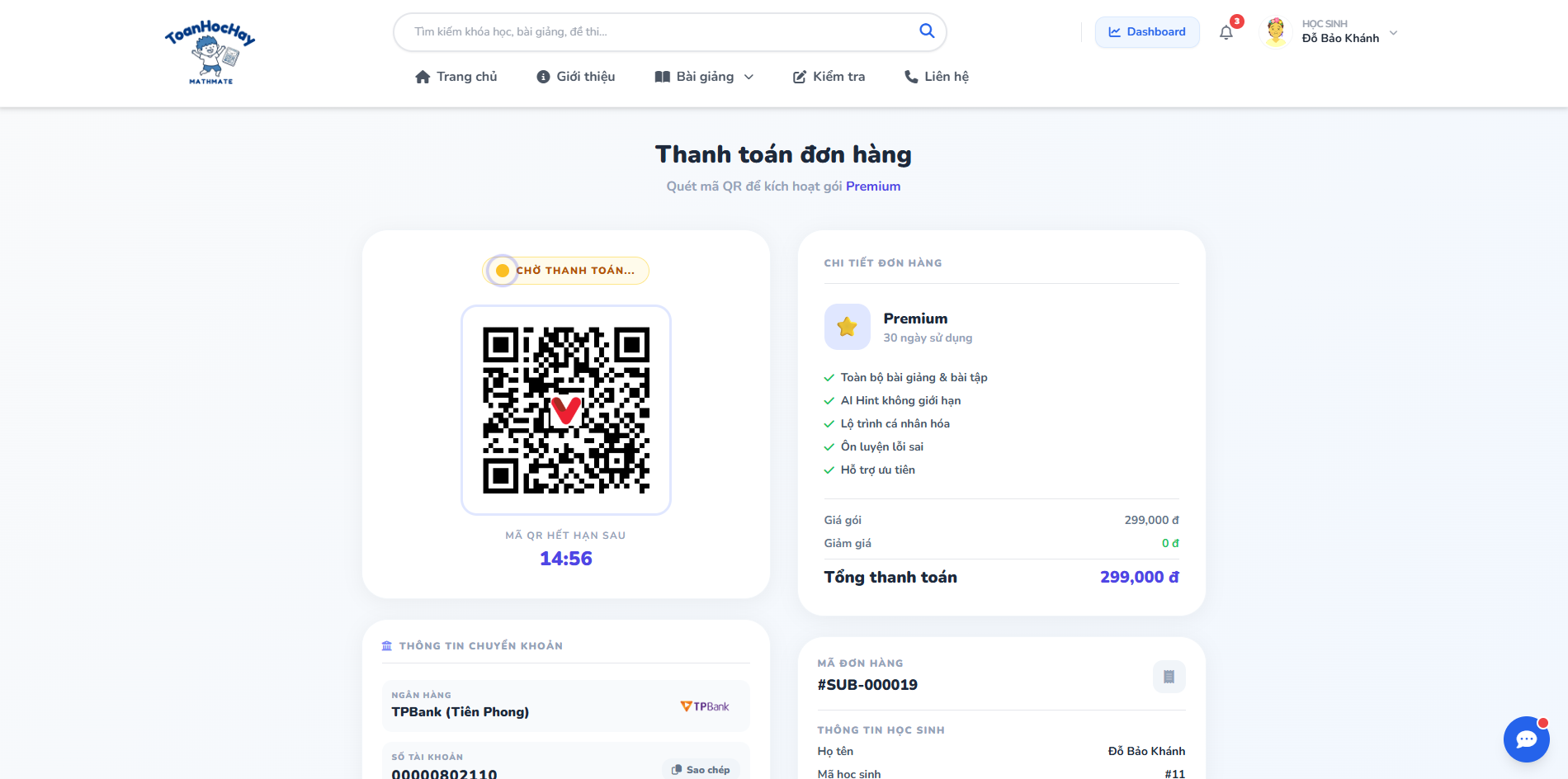
SePay QR checkout page for a Premium package
08

Payments & subscriptions

Checkout reuses the pending order and counts down to the QR's server-side expiry. An idempotent SePay webhook confirms payment, a background sweep manages renewal/expiry, and refunds go through a semi-automated flow.
SePay QRIdempotent webhookSubscription lifecycle
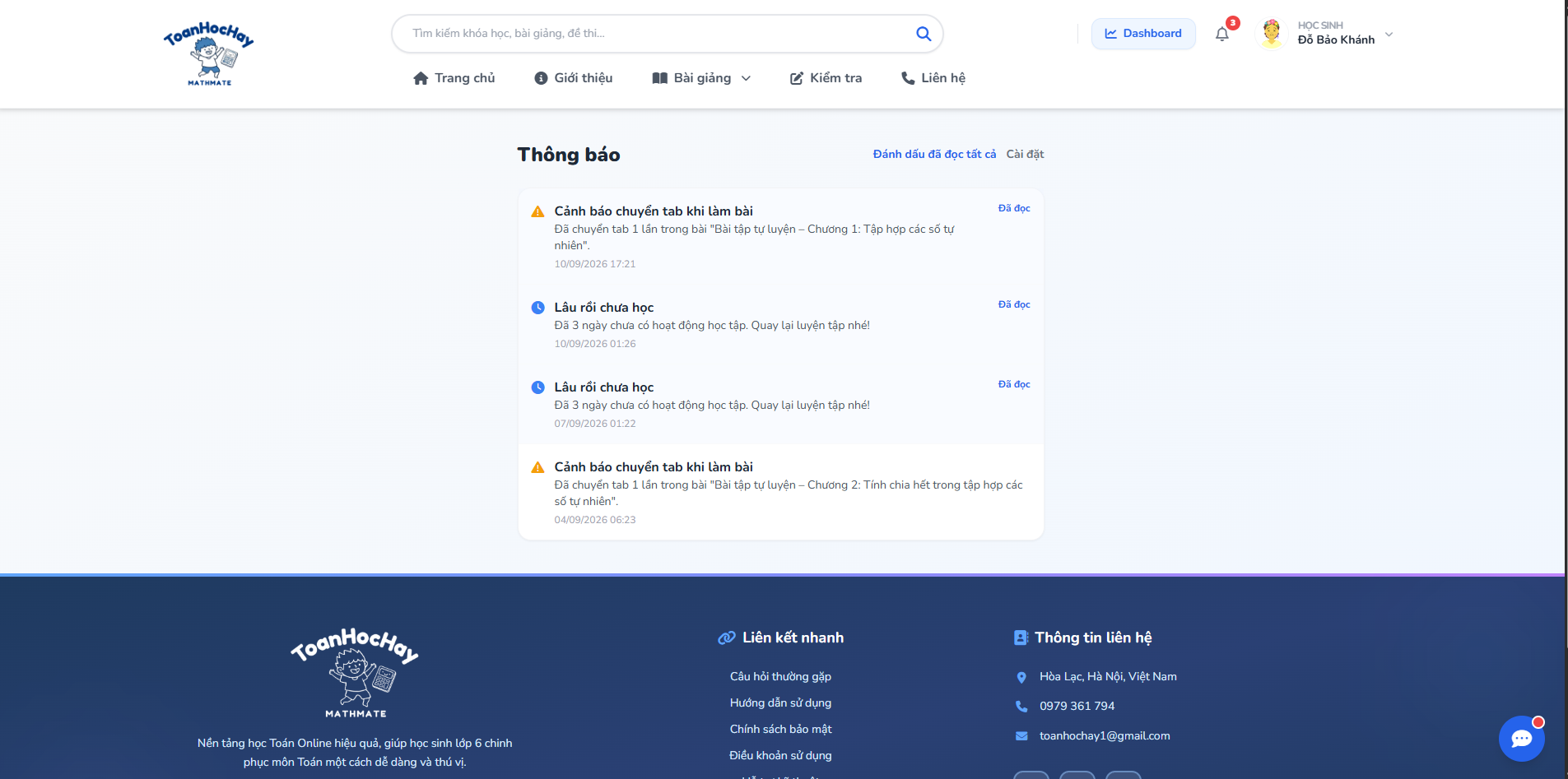
In-app notification center
09

Notifications

An in-app bell plus email covers tab-switch warnings during a test and multi-day inactivity reminders. Students and parents can opt out of each notification type individually.
In-app + emailPer-type opt-out
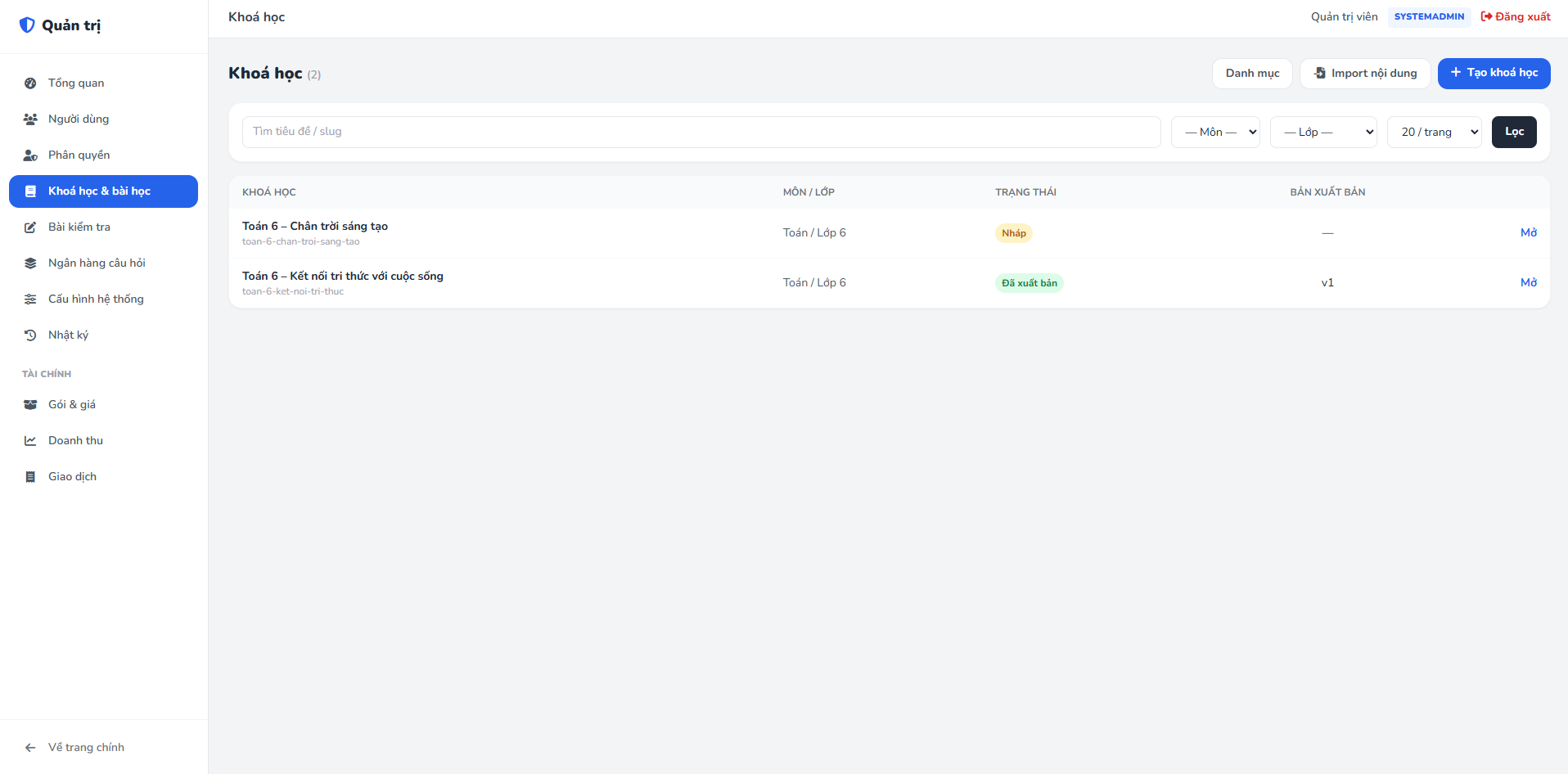
Admin content authoring area with course list and import button
10

Content authoring & import

Courses move through a Draft → submit for review → publish workflow. Curriculum, question banks, and exercises can be bulk-imported from CSV/XLSX, with a "validate only" pass before anything actually gets written.
Review workflowCSV/XLSX importValidate-only mode
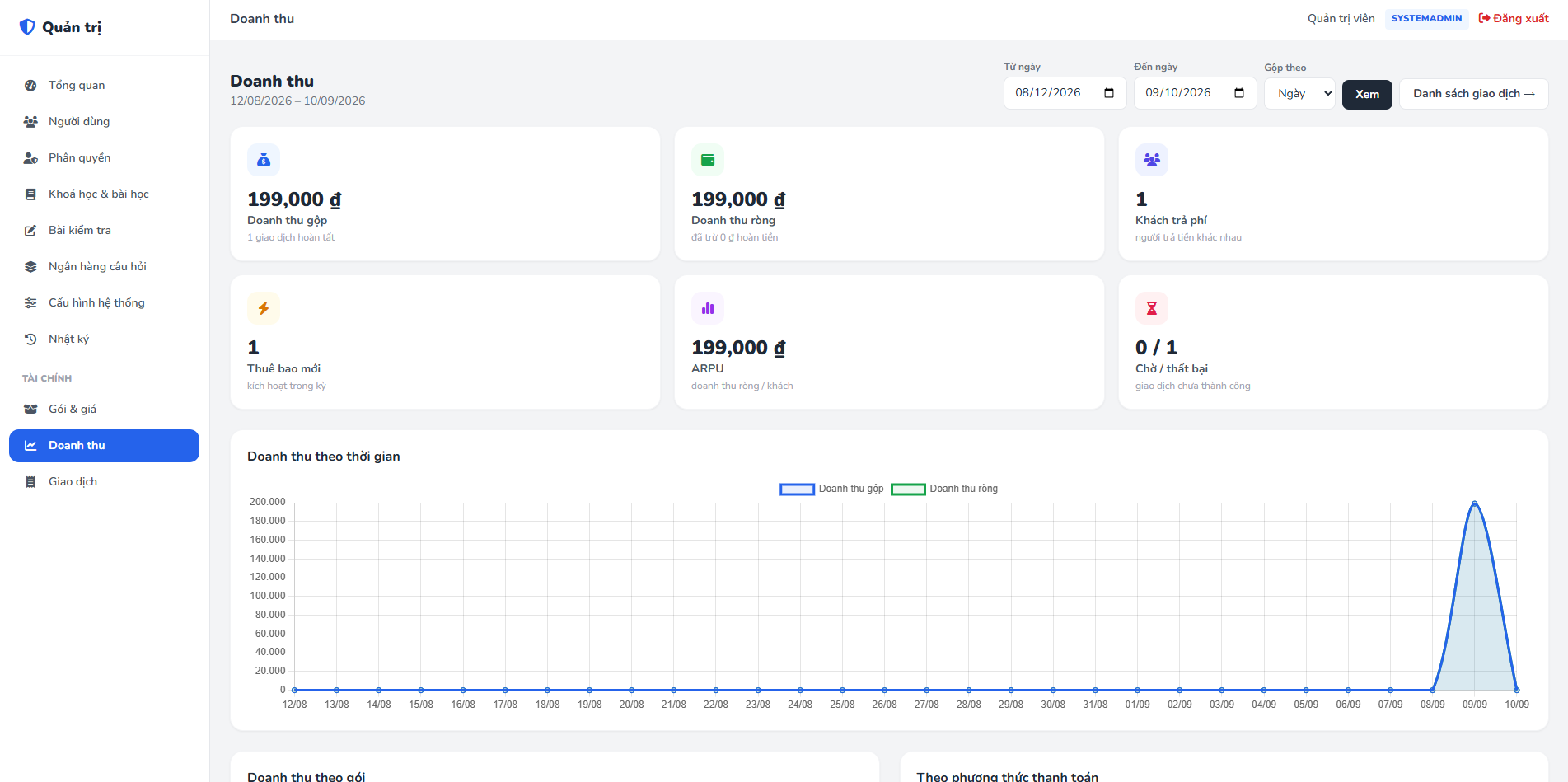
Finance admin dashboard with revenue chart
11

Admin & finance area

System administration covers users, roles, and an audit log. The finance area adds package/pricing management and revenue analytics — gross vs. net revenue, paying customers, ARPU, and a time-series chart — built with Chart.js.

Role managementRevenue analyticsChart.js

Under the hood

Three components running independently over HTTP, containerized and shipped to Azure on every push to main.

Backend API

ASP.NET Core 9 REST API — EF Core 8 + PostgreSQL, JWT auth, Serilog, rate limiting, a uniform response envelope, and hosted background services for payments, email, and AI feedback.

AI microservice

Python 3.12 + Flask, reachable only from the API via a shared internal key. Wraps Google Gemini for hints, feedback, and chatbot replies, with key rotation on quota limits.

Frontend WebApp

Server-rendered ASP.NET Core MVC 9 with Razor Views, cookie auth, an auto-refreshing Bearer token handler, Tailwind CSS, and Chart.js for the finance area.

ASP.NET Core 9 EF Core 8 + Npgsql PostgreSQL 16 JWT + rotating refresh AutoMapper Serilog SendGrid SePay Python + Flask Google Gemini Tailwind CSS Chart.js 4 Docker Compose GitHub Actions → Azure

An EXE (Entrepreneurship Experience) course project — FPT University, built by a team of 6. My role: team lead — backend API, frontend integration, and DevOps (defense-in-depth API hardening, the SePay payment/webhook flow, and the Docker/CI pipeline to Azure).